Project VELES

The Zone on your terms

Project VELES

An in-game toolkit for S.T.A.L.K.E.R. 2: Heart of Chornobyl

An ImGui menu right inside the game: aiming, ESP, item spawner, teleport, a difficulty-rules editor and equipment upgrades. Everything is read and changed in the live session — no save editing, no pak mods.

831.0 KB · 2026-08-07 · game v1.9 (Build 22554680) Ultimate Edition

Single-player only. The menu alters the state of your local session, which is incompatible with online modes and with other people's saves.

What's inside

Around a hundred and fifty toggles, and none of them are there just to pad the list — each one was traced through the game's own mechanics and tested in play.

Aiming

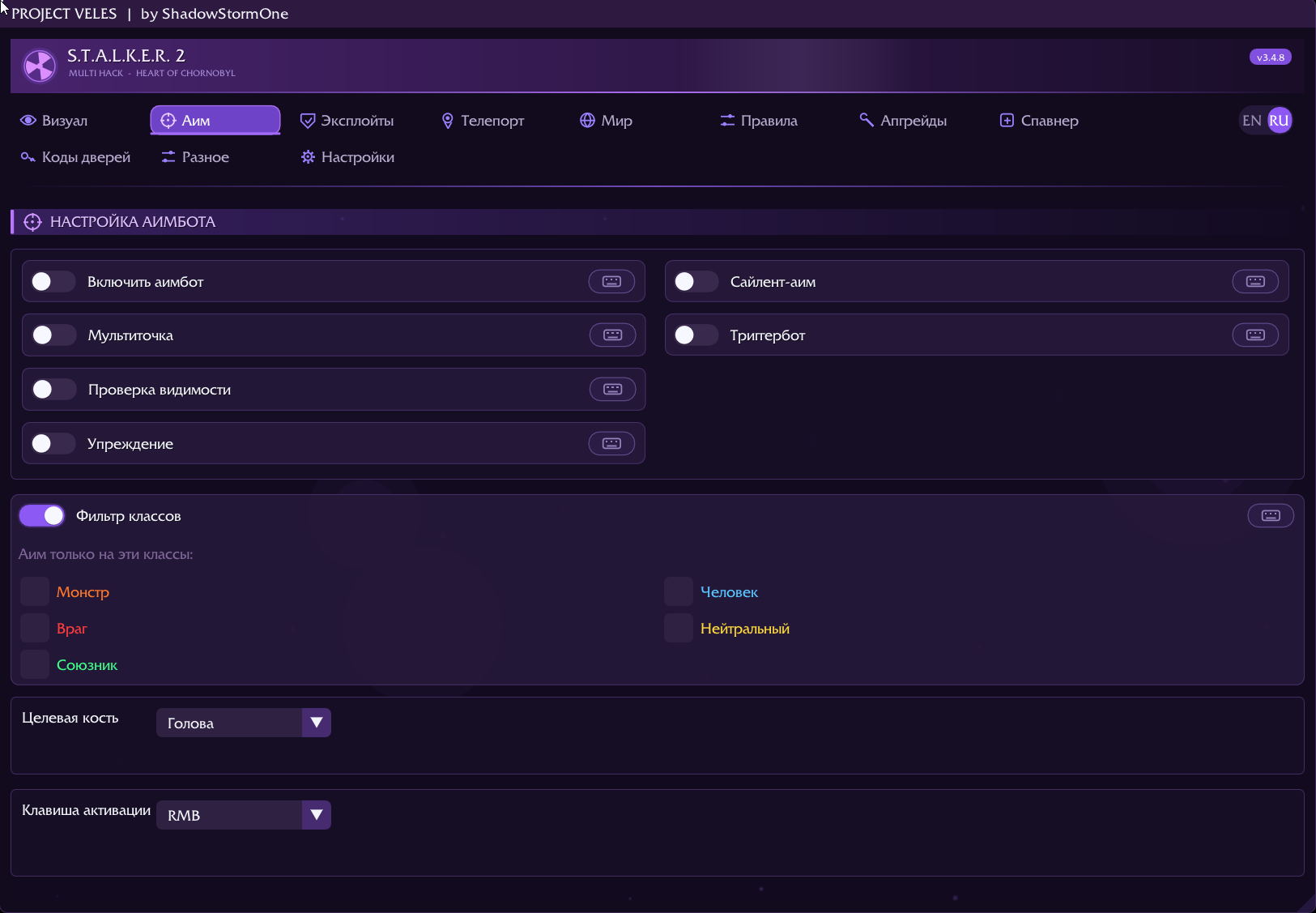
Aimbot with bone selection, FOV and smoothing. Multipoint walks head, neck, chest and pelvis in order of priority, the visibility check refuses to aim through walls, and when a target dies the aim moves to the next one on its own.

Lead on moving targets is computed from the actual projectile speed, which the cheat reads from the game per weapon — there is nothing to configure. Alongside it: trigger bot, silent aim and removal of weapon sway while aiming.

ESP

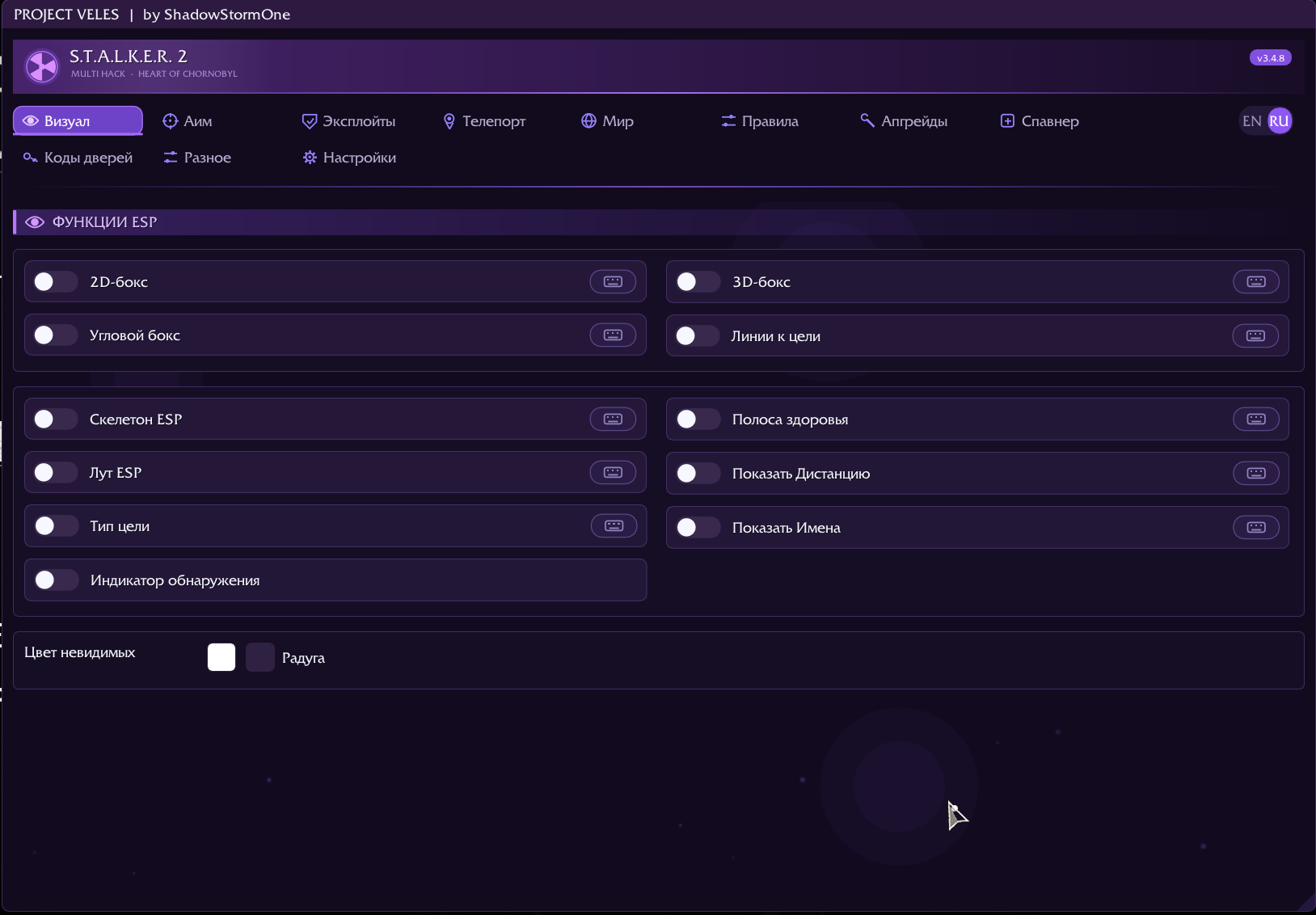
Boxes (2D, 3D, corner), skeleton, health bar, names and distance in metres. The detection indicator shows whether an NPC has noticed you: for mutants you see calm / suspicious / in combat, read straight from their animation state rather than guessed.

Loot ESP names objects properly — «Medkit», «AKM-74S», «Backpack» — dims containers you have already searched and marks them «(empty)». Empty ones can be hidden entirely, leaving only the stashes worth walking to.

Survivability and weapons

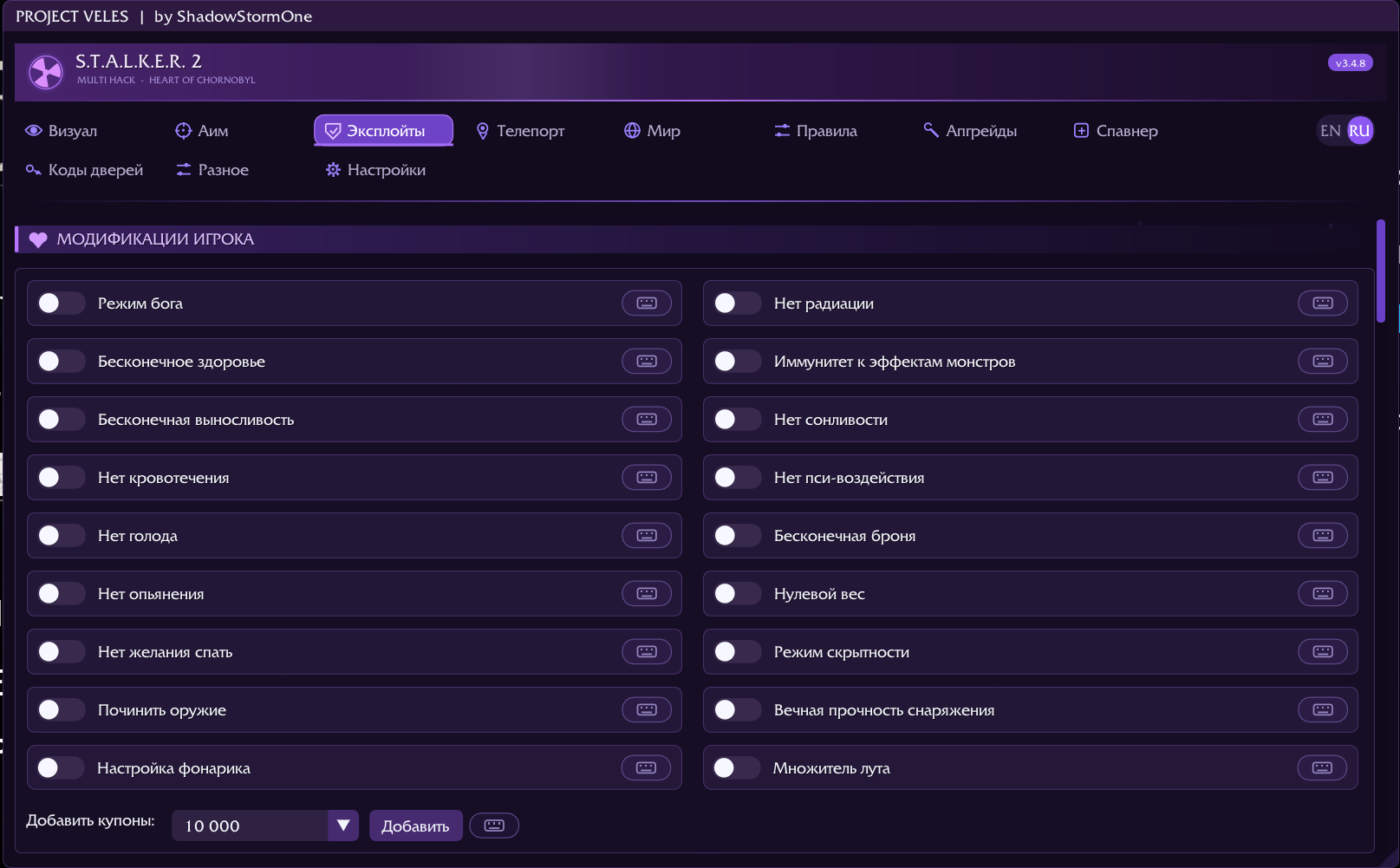
God mode, armour, stamina and ammo. Zero weight removes both the overload itself and the movement penalty that sticks after it. Immunity to mutant crowd control: no knockdown from the pseudogiant, no stun from the bloodsucker, no weapon snatching by the burer.

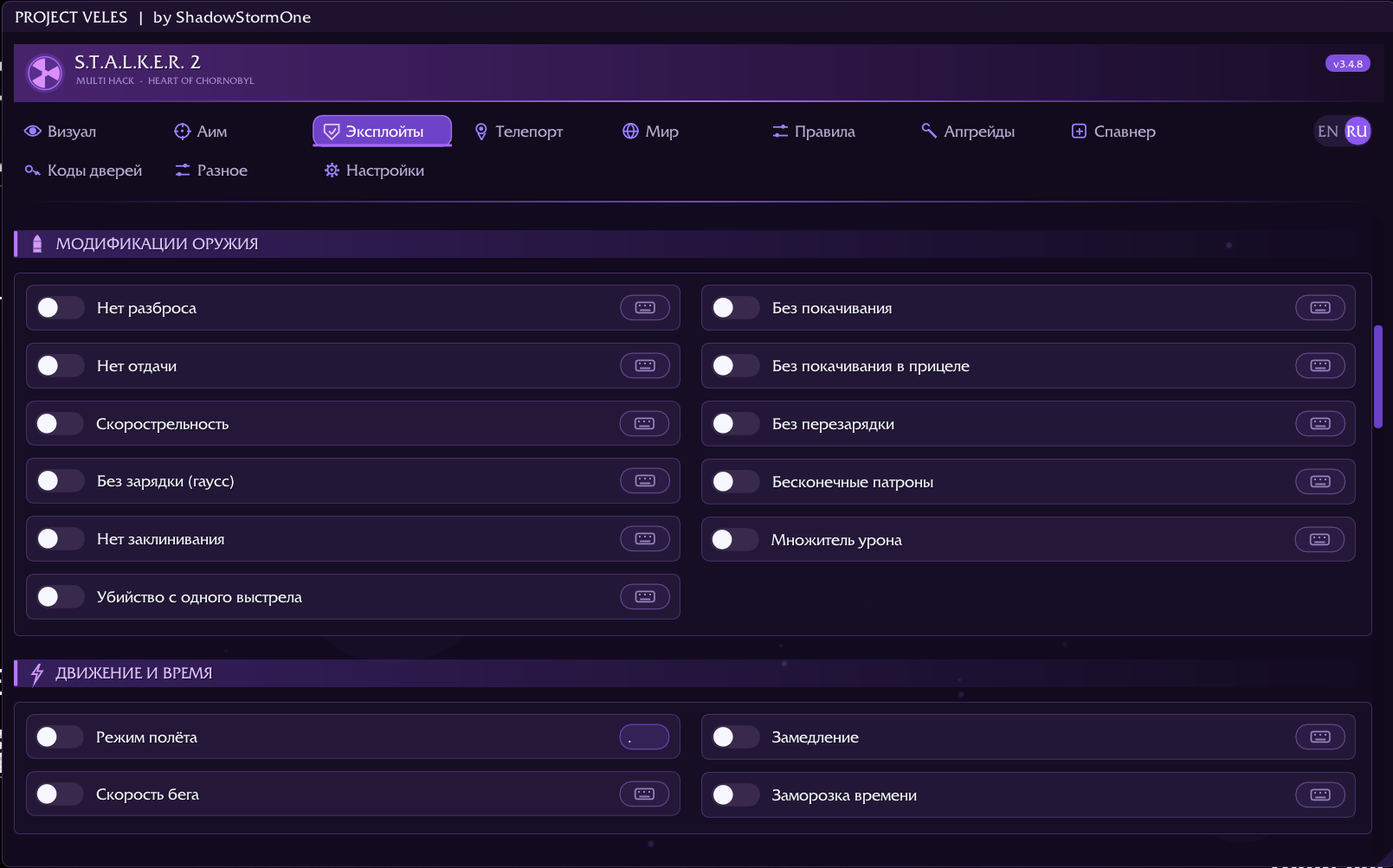
For shooting: no recoil or spread, no reloading or jams, fire rate, damage multiplier, one shot. Gauss and bolt-action weapons fire without the charging delay.

Game rules

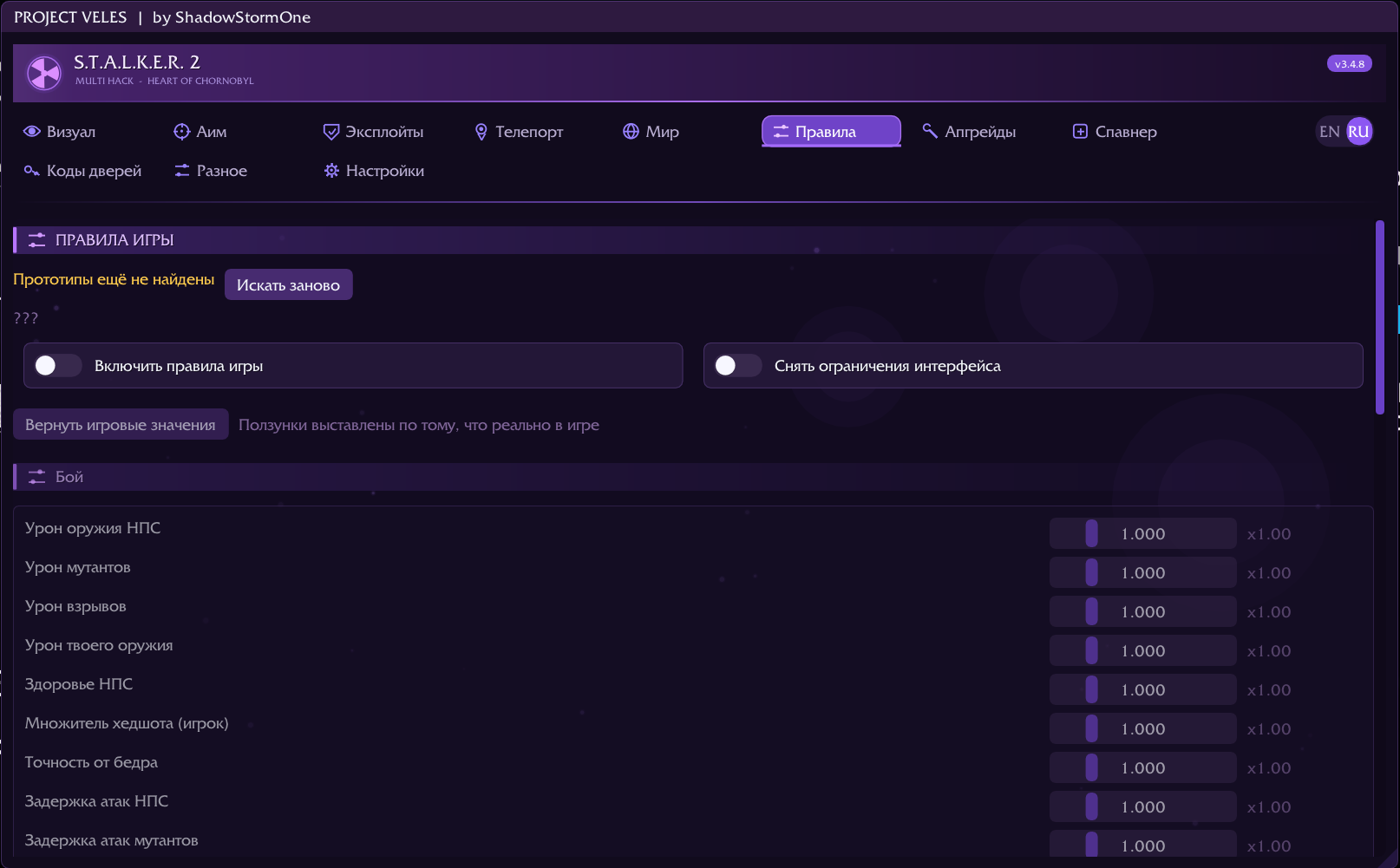
36 difficulty multipliers the game itself uses: damage dealt and taken, NPC health, headshot multiplier, armour protection against anomalies, radiation and psi, equipment wear, hunger and fatigue rates, trade prices, quest rewards, emission frequency.

Sliders are seeded with what actually sits in the game's memory, so the original value and your deviation from it are always visible. Separately, high difficulty's removal of the compass, crosshair and stash markers can be undone.

Equipment upgrades

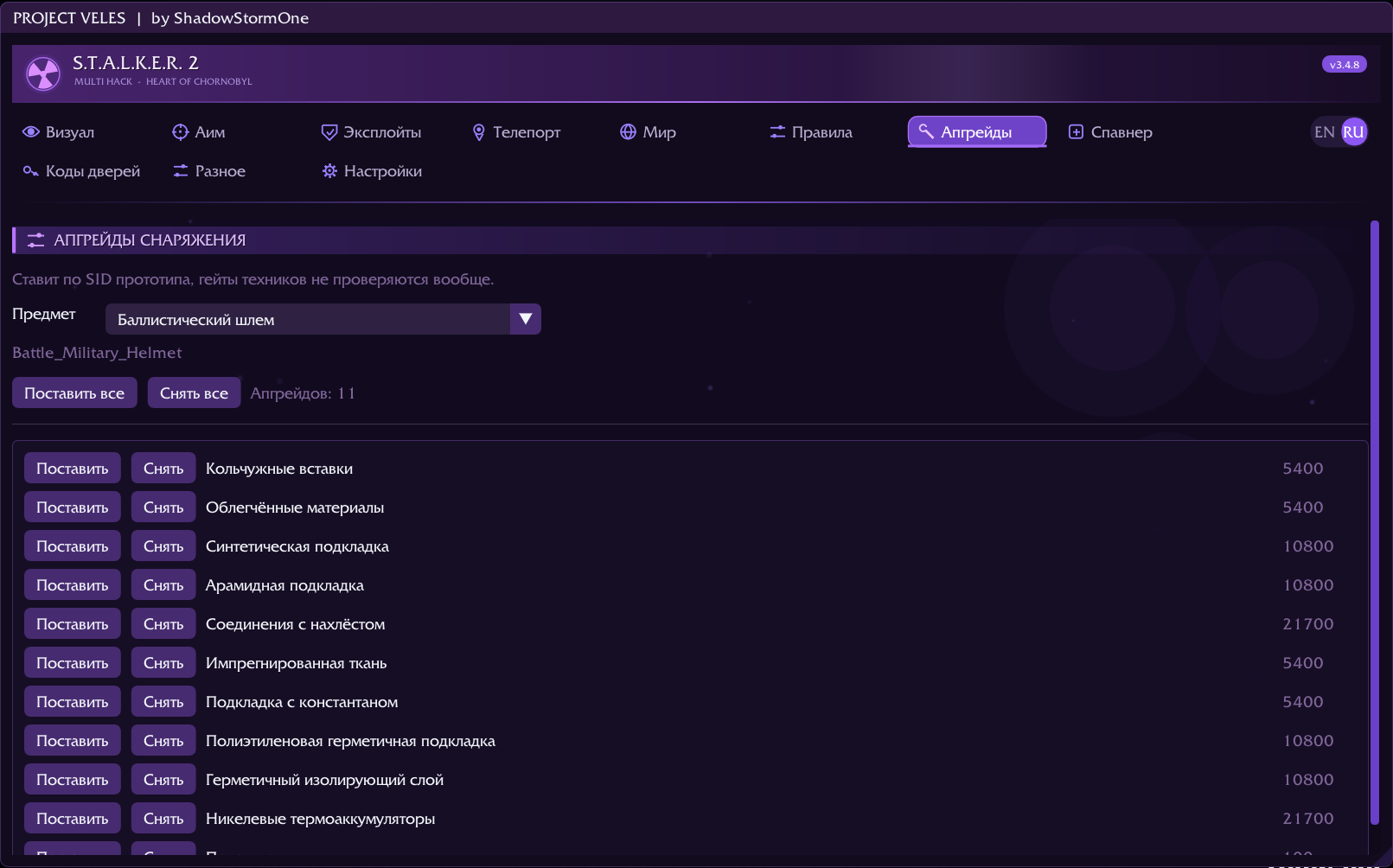
Installs any upgrade on any suit or helmet bypassing technician gates entirely: no master rank, no prerequisite branch, no required parts and no mutually exclusive blocks.

49 items and 703 upgrades with official names and full descriptions taken from the game, in English and Russian. One at a time, or «install all» for a whole item.

World, teleport, spawner

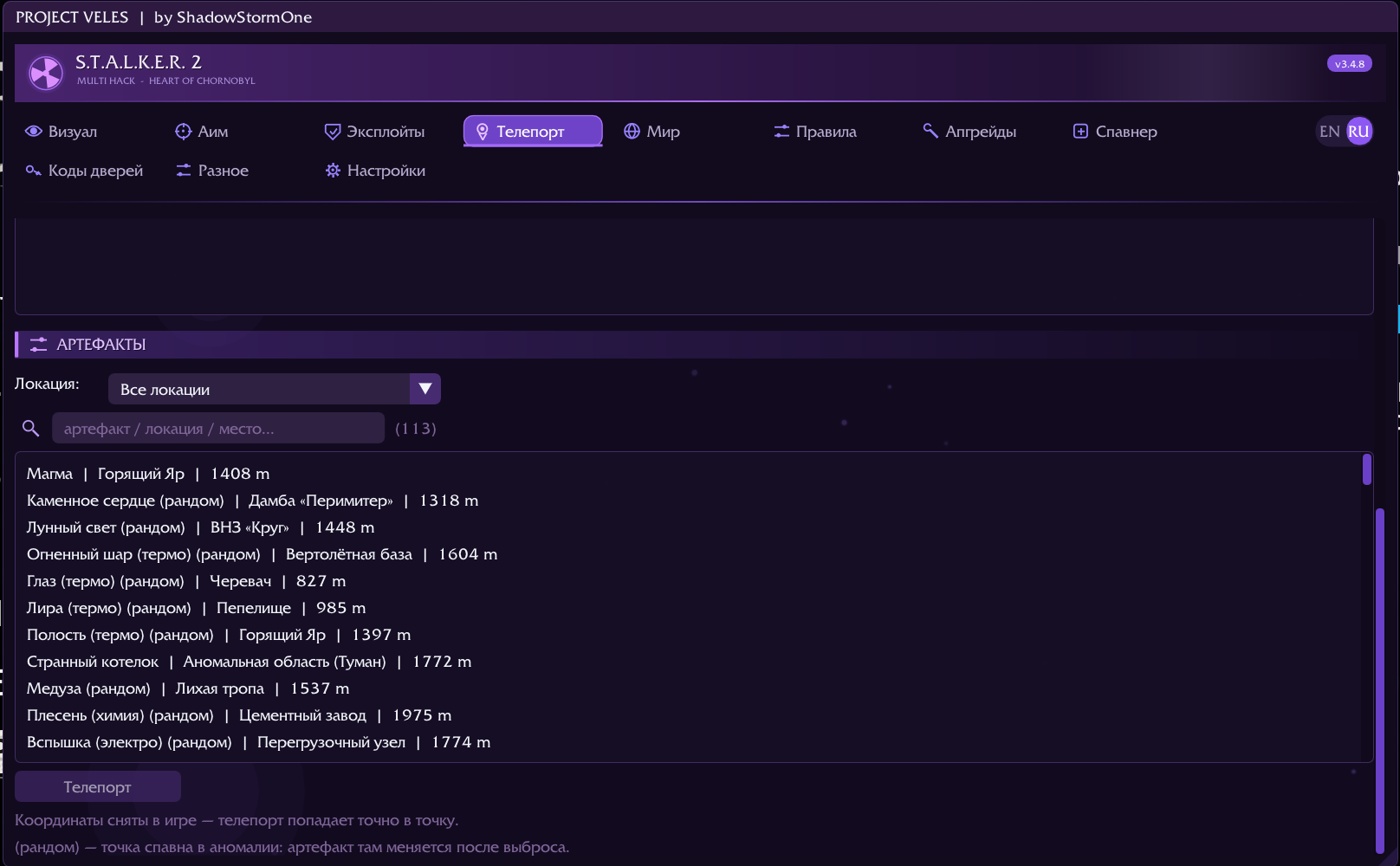
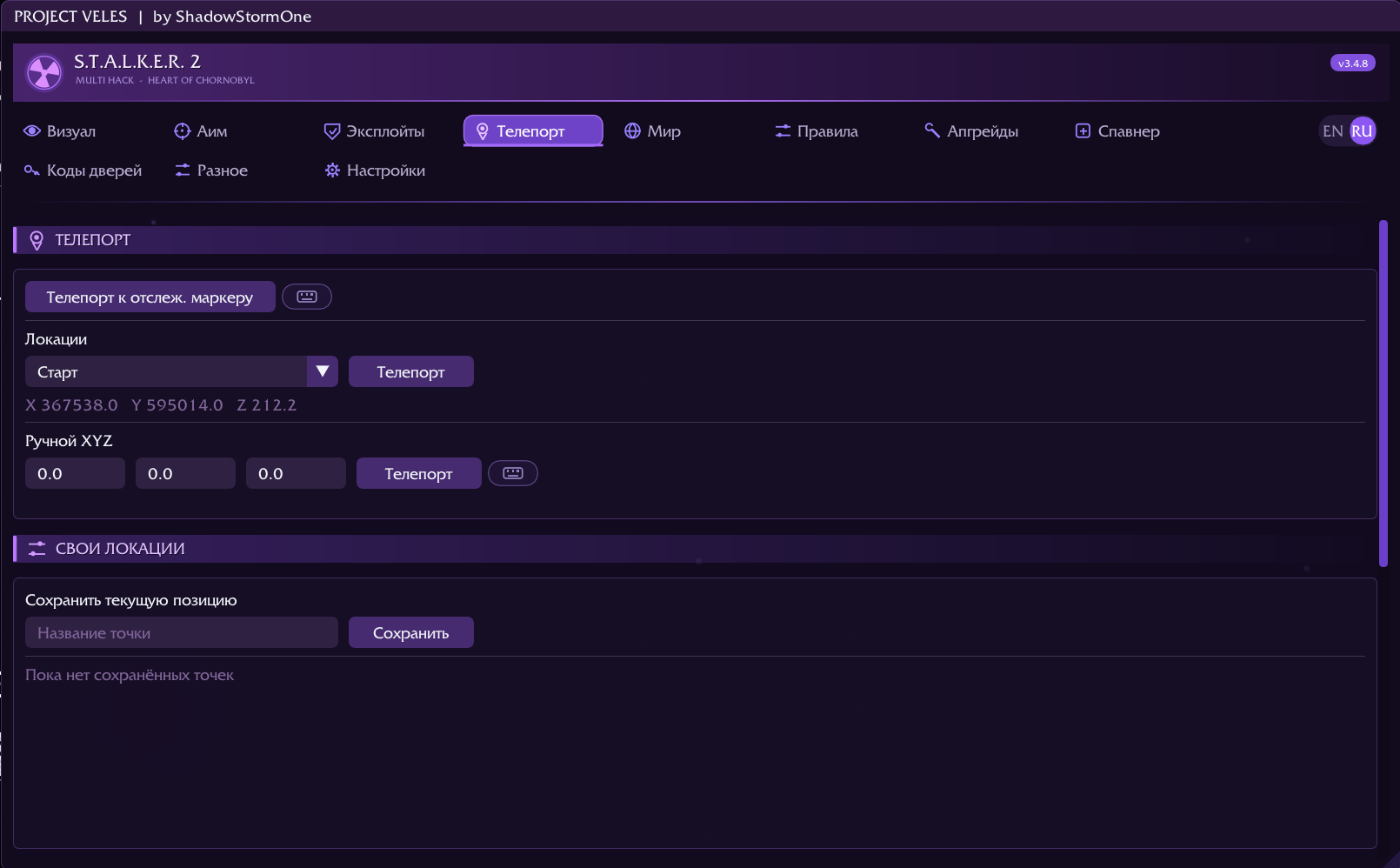
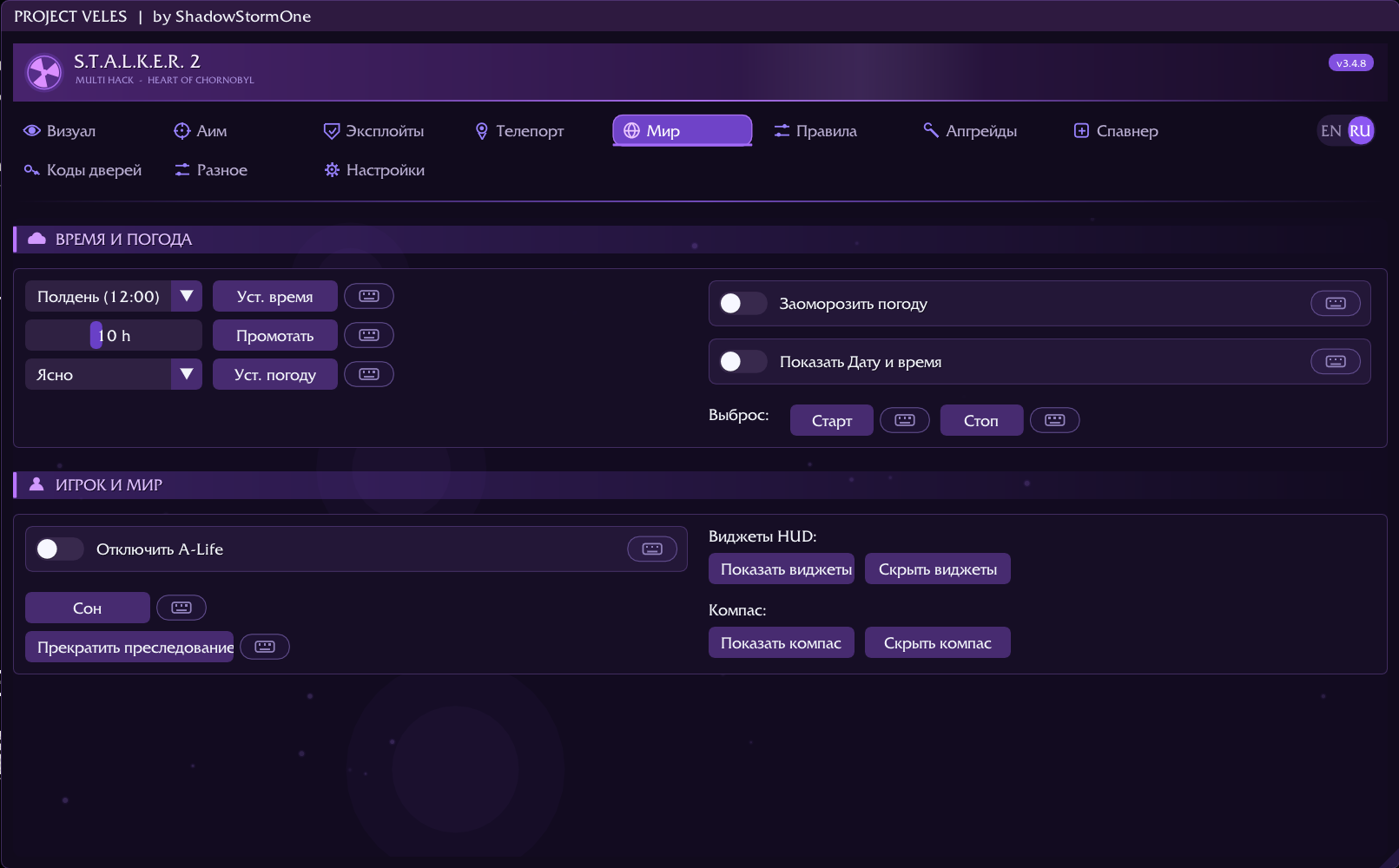
Time, weather, emissions on demand, sleep, A-Life. Teleport to a marker, to coordinates, to preset locations and to 113 artifact spots surveyed by hand in game — each with its distance and a per-region filter. Your own position saves as a named point that survives a restart.

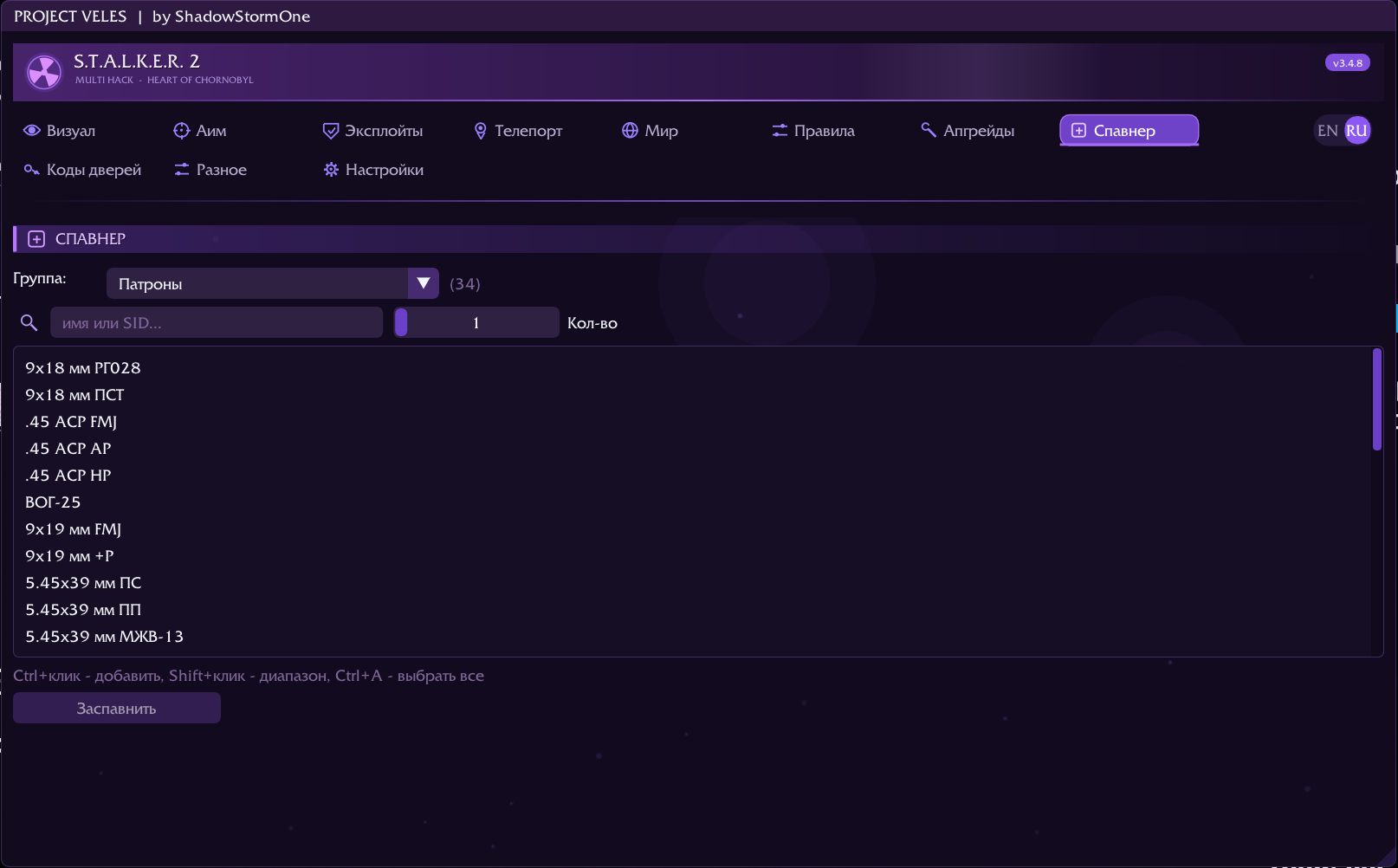
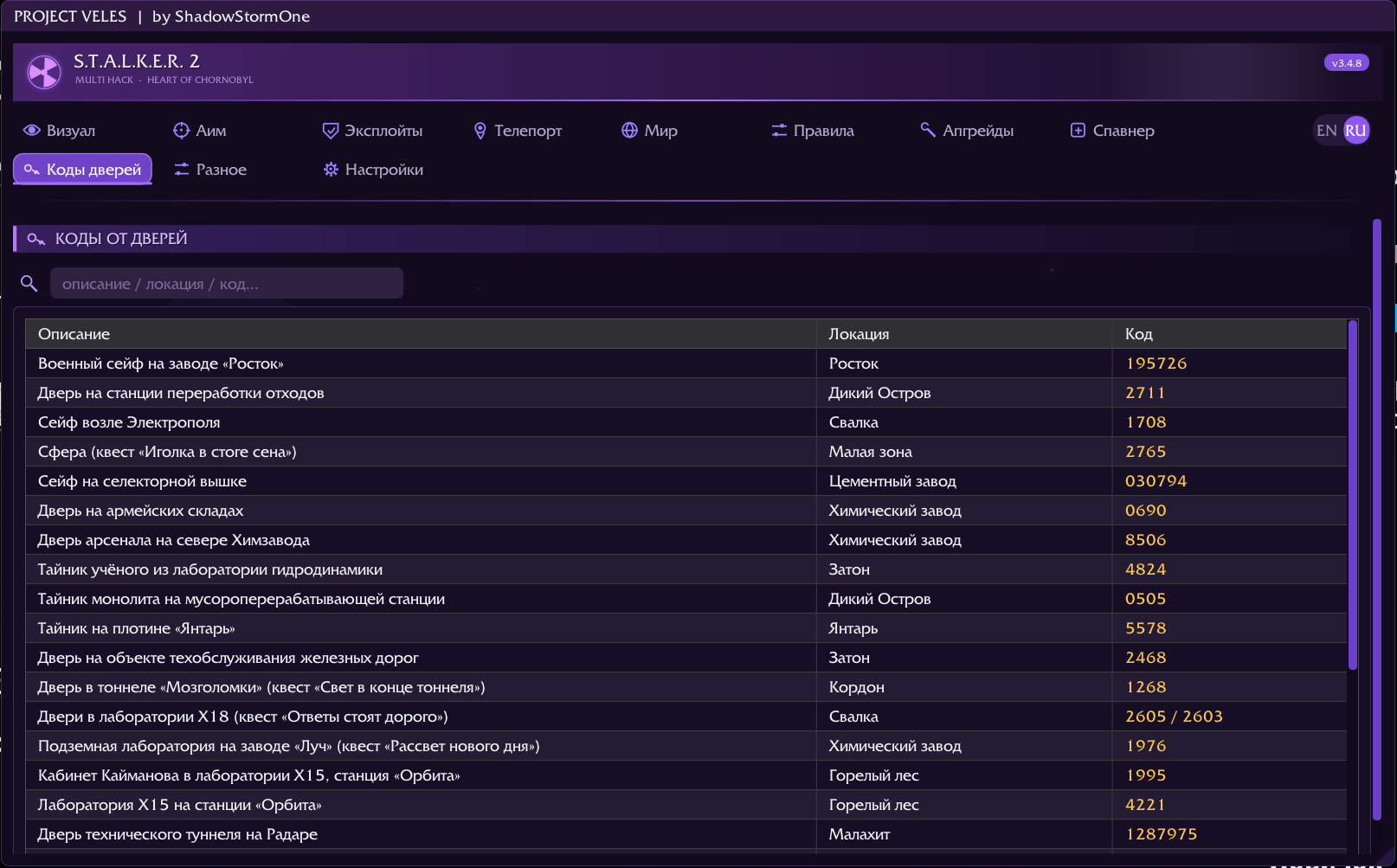
Spawner: items by category, search by name and by SID, multi-select in batches. Next to it, a database of safe and door codes searchable by description and location.

Savescum and reputation

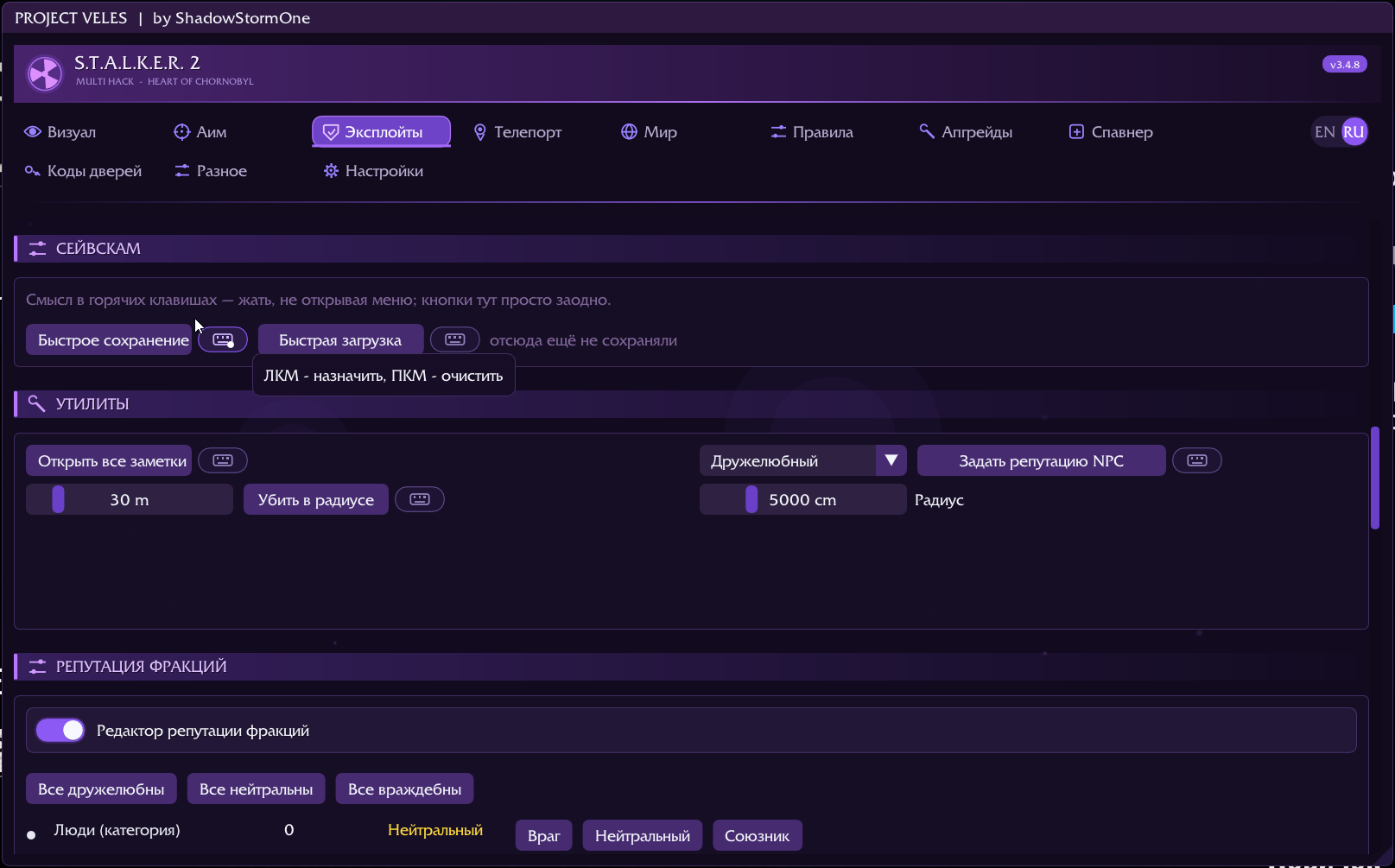
Quick save and quick load sit on hotkeys: press them without opening the menu, and see how many saves ago you last left from here. That is the whole point of savescumming.

The reputation editor shows how every faction feels about you and lets you set it — one at a time or all at once. Separately: set the reputation of NPCs within a radius, or kill everything within one.

You can see what works

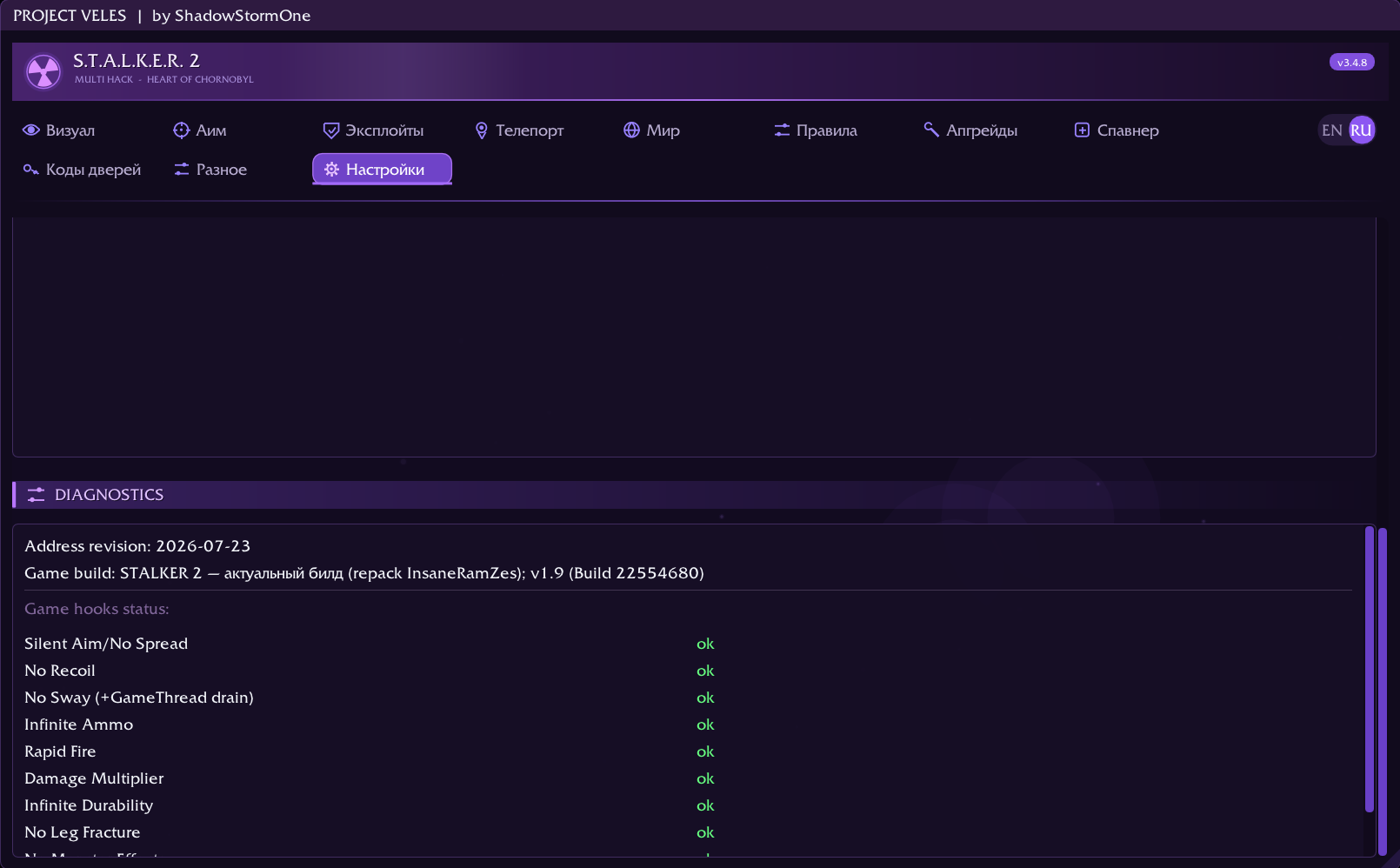
A dedicated tab shows the address revision, the detected game build and the status of every hook individually. If a game patch breaks something, you see exactly what, by name, instead of guessing from «half the features are dead».

Logs and crash dumps are written next to your settings in plain text — you can open and read them yourself.

Interface and settings

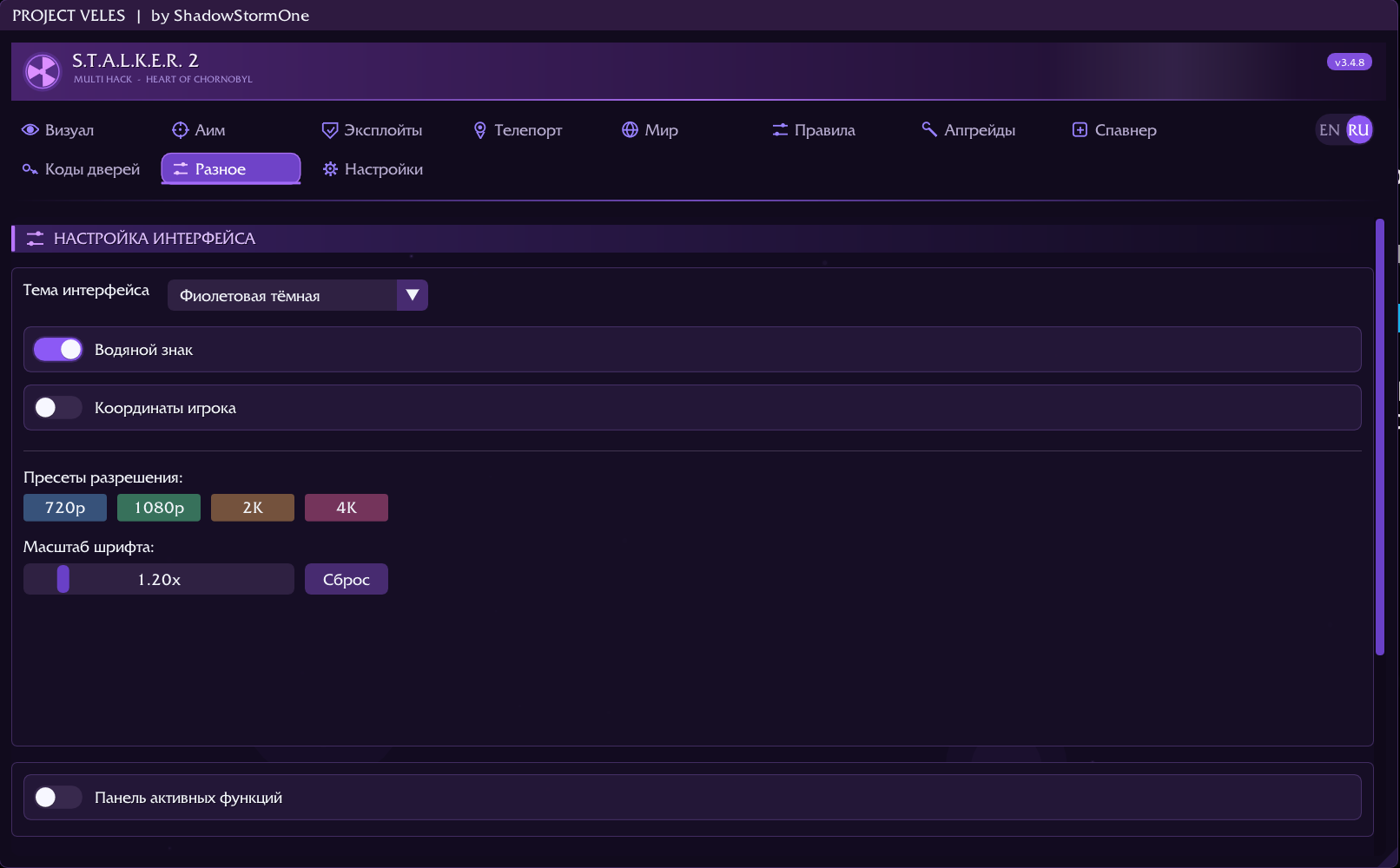
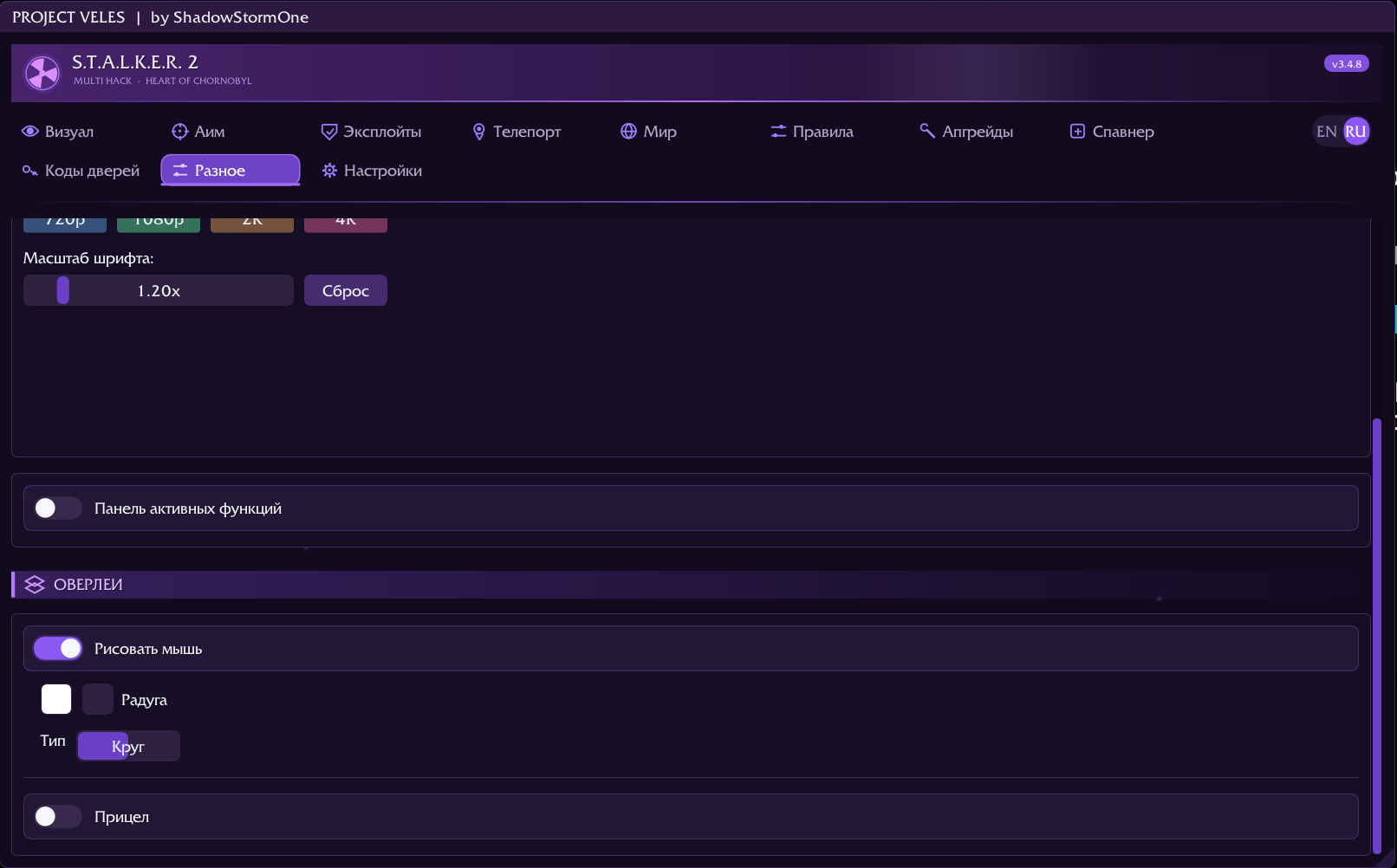
Themes, presets for your screen resolution (720p, 1080p, 2K, 4K) and a separate font scale — the menu reads the same on a laptop and on a 4K panel.

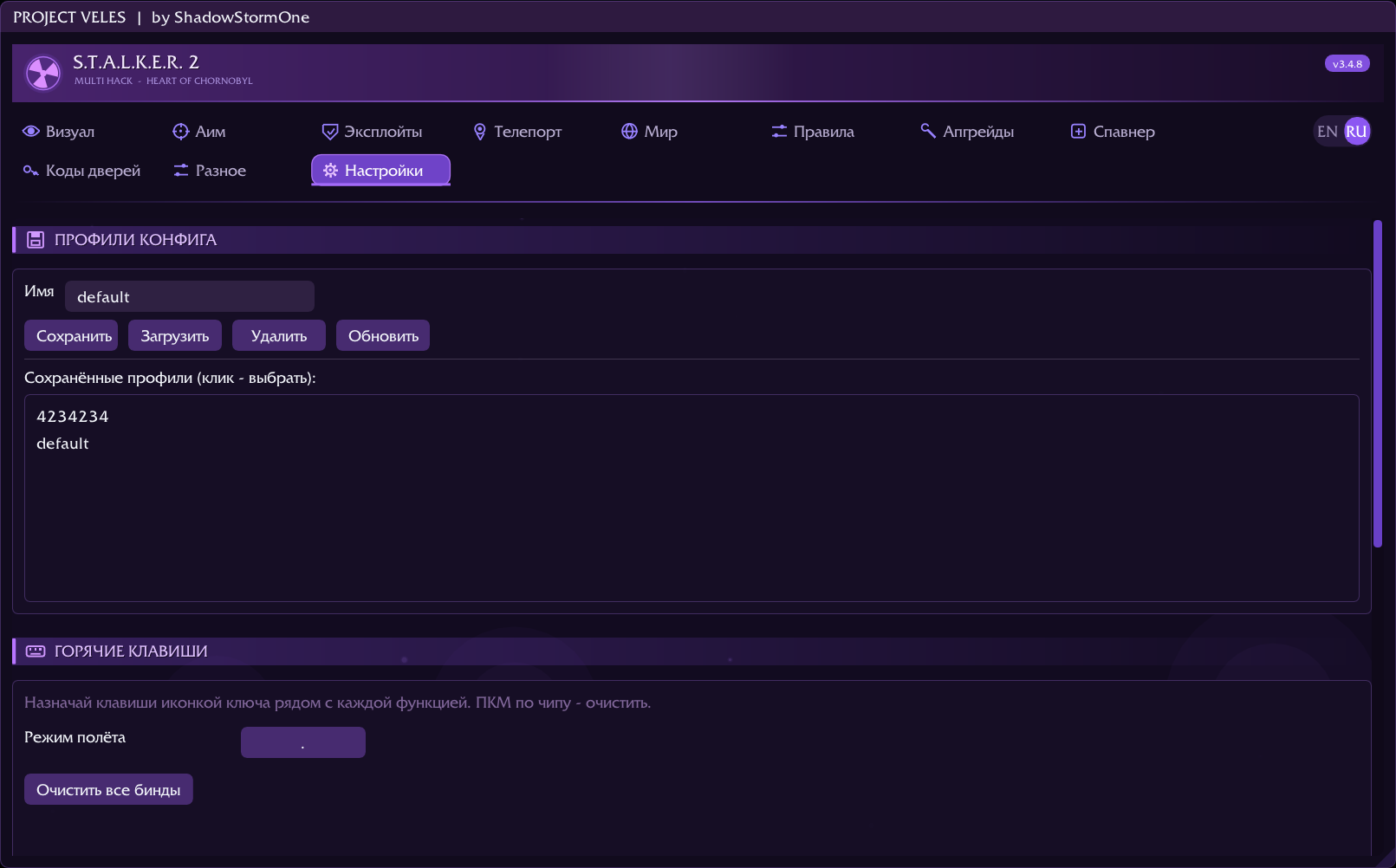
Setting profiles save and switch as a whole. Any feature can be bound to a key and used without opening the menu. Plus an active-feature panel, a custom crosshair and cursor, and an EN / RU switch on the fly.

Also in the menu: fly and noclip, time freeze and slowdown, invisibility, a flashlight editor with presets, coupons, removal of hunger and radiation, a watermark and on-screen player coordinates.
What it looks like

ESP
ESP Boxes, skeleton, health bar, distance, detection indicator and Loot ESP
Aimbot
Aimbot Target class filter, bone selection, prediction, trigger bot and silent aim
Player modifications
Player modifications God mode, armour, mutant-effect immunity, zero weight, stealth
Weapon modifications
Weapon modifications Recoil, spread, reloading, jams, Gauss without charge; fly and time control
Game rules
Game rules 36 difficulty multipliers, seeded from the game's own memory
Equipment upgrades
Equipment upgrades Any upgrade on any item, bypassing technician gates, with in-game prices
Artifact teleport
Artifact teleport 113 spots surveyed by hand in game, with distance and per-region filter
Teleport
Teleport To a marker, to coordinates, to preset locations and your own saved points
Spawner
Spawner Items by category, search by name and SID, multi-select
World
World Time, weather, emissions, A-Life, sleep and HUD widgets
Savescum and reputation
Savescum and reputation Quick save and load, faction reputation and NPCs within a radius
Door codes
Door codes Safe and door codes, searchable by description and location
Interface
Interface Themes, resolution presets and font scaling
Profiles and hotkeys
Profiles and hotkeys Setting profiles and key bindings for any feature
Diagnostics
Diagnostics Address revision, detected game build and the status of every hook
Overlays
Overlays Custom crosshair, cursor and active-feature panel

Setup

  1. Download and unpack the archive.Inside there is a single executable — Veles.exe. Everything else is built into it; there is no separate library to place anywhere.
  2. Launch the game.The window mode does not matter: the menu is drawn inside the game itself rather than over it, and works the same in fullscreen, windowed and borderless.
  3. Run Veles.exe.Once the game has loaded, press Insert to open the menu.

Controls

Insertopen and close the menu
Endunload the cheat from the game

Requirements

  • Windows 10 or 11, x64
  • the game version listed for the build
  • antivirus software may flag the injector — expected for this kind of tool

Settings and logs

Profiles, key bindings, logs and crash dumps live in Documents\Veles. When reporting a problem, attach logs\veles.log and logs\crashlog.txt — without them the investigation is guesswork.

Verbose logging

If the normal log does not show the problem, create an empty file named verbose.txt in Documents\Veles — the cheat will start writing details: what it found in memory, what it did not, how the scans went. Nothing to rebuild, the file is read at startup. Remove it and logging returns to normal.

The cheat sends a technical log

A few seconds after launch, and again if the game crashes, a report is sent: whether the hooks and menu came up, the cheat version, the GPU and the Windows version. Your Windows username is stripped from paths and the IP address is not stored — only a hash. This exists for «it doesn't start» reports, which otherwise take weeks to untangle through fragments of logs in chat.

To disable it, create an empty file named no-upload.txt in that same Documents\Veles folder.

Downloads

Version Date Size Downloads SHA-256
3.4.8Loot ESP: имена предметов и пометка облутанных 2026-08-07 831.0 KB 3 708f664582248725…
3.4.7Предыдущая сборка 2026-08-06 unavailable

A download link is valid for ninety seconds and is tied to your connection — forwarding it will not work, press «Download» again instead. It is worth checking the archive against the SHA-256 column.

Get in touch

Launch problems, crash reports and suggestions go here. Attach the logs from the settings folder to a report — without them it turns into a week of back-and-forth.